Memory
Overview
What is memory? Simply put, memory is an electronic device found in computers, smartphones, and other electronic devices that temporarily stores data. What kind of data is stored in memory? Memory stores information about the various programs that run when we use computers, smartphones, and the like. In simple terms, all the information we see on our screens is stored in memory and undergoes a series of processes before being converted into pixel data and displayed on screen. This is precisely the point this article intends to focus on. If the information of all "things" displayed on screen is actually loaded into memory and visualized through the screen at the moment it is needed, then isn't memory where everything we can experience through screens exists — whether it's visiting a webpage, navigating a map in a game, or accessing an Instagram account to view friends' photos and leave comments? If so, could we say that the site of space realized (or, built) through electronic means is memory? In the following sections, we will examine what memory is and how it works in more detail, and explain what can happen in spaces realized with memory as their site.
Memory and Storage
Memory
Let us first look at memory. Memory is a space that temporarily stores data for program execution and data processing. The RAM (Random Access Memory) we commonly talk about belongs to this category of memory. Since data is stored temporarily, the stored information is lost when power is turned off. In return, memory has the advantage of allowing the CPU to access data quickly.
Storage
Storage provides the ability to store data similarly to memory, but unlike memory, data is not lost when power is turned off. Hard drives and SSDs installed in computers fall under this category of storage. Accessing data stored on storage devices takes comparatively more time than accessing memory — though it varies by product, you can think of RAM read/write speeds as being roughly 10 times faster than SSD.
What Happens in Memory and Storage
For a simpler understanding of memory and storage, you can think of memory as an architecture student's desk and storage as a materials warehouse. When an architecture student wants to build a model, they first take materials from the warehouse and place them on the desk. They then work on the model at the desk, and when finished, they (presumably) tidy up the desk and return the remaining materials to the warehouse. What happens in computers and smartphones is not much different. If you run a game downloaded from Steam, the CPU first loads the game data stored on the storage device onto RAM, renders various maps and characters on screen based on the information loaded on RAM while the game is running, and when the game is closed, releases the RAM space allocated to the game so other programs can use it.
Memory and Addresses
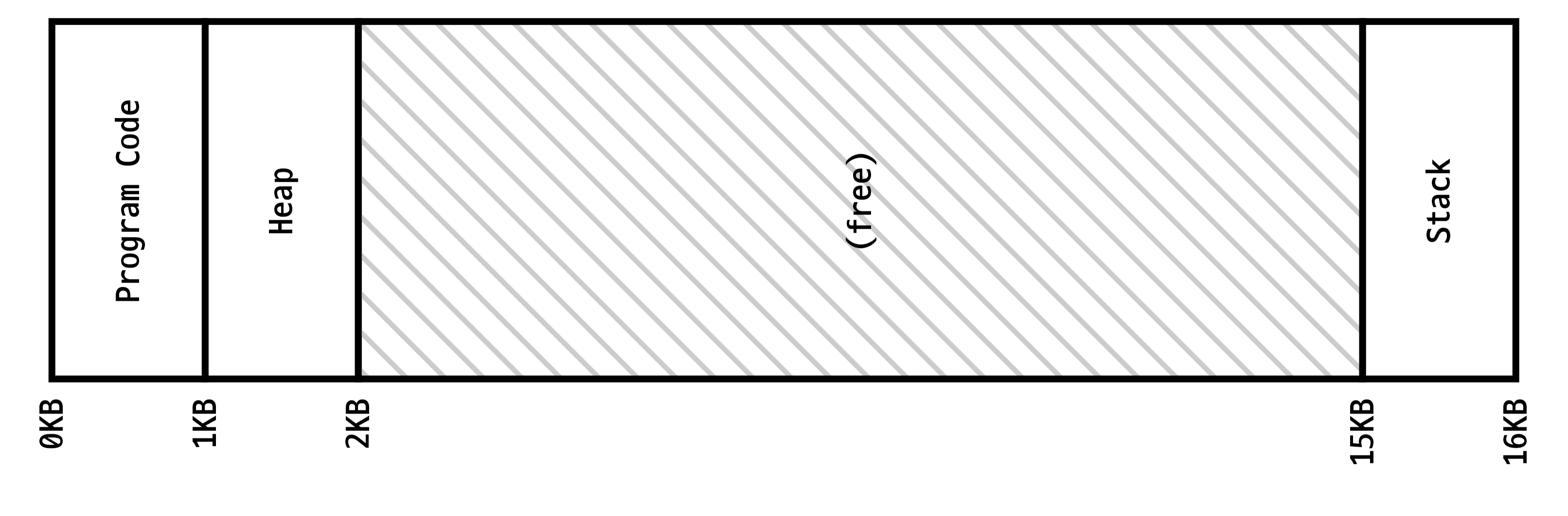
Both memory and storage handle information composed of 1s and 0s. The unit that can be expressed as either 1 or 0 is called a bit. When you bundle 8 bits together, you get a byte. Since each bit is determined as either 0 or 1, a single byte can store values ranging from 00000000 to 11111111 — a total of 2^8 = 256 different values. If you want to load an image file into memory, you express the pixel information that makes up the image using bits, bundle the pixel data along with the method for reading it into a single file, and then load this chunk of bit-based information onto memory. But then, how do we know where in memory the file has been loaded? For this purpose, every location in memory has an address assigned to it. This address is a single linearly defined number, and each address is allocated 1 byte of information. For example, if you loaded 8 bytes of information at memory address 10, the information is sequentially allocated at addresses 10, 11, ..., 17.
Reading and Writing
Reading and writing information on memory depends on memory performance, but generally, RAM data read/write speeds are on the order of tens of GB/s for both operations. This is remarkably fast compared to SSD read/write speeds of 500MB–5GB/s and hard disk read/write speeds of 50–200MB/s.
Reading
To read information from memory, the memory address where the information is stored is required. To illustrate with the example of reading a specific character's clothing image in a game: when the game is first launched and loaded, various clothing images are placed into memory while simultaneously recording which clothing was placed at which address. Later, when a specific piece of clothing needs to be retrieved, the clothing's address record is checked to find its location and load it. Of course, this process of finding a clothing's address takes less than a few milliseconds. If the address is incorrect and points to a different piece of clothing's data, or if an attempt is made to read information from an unmanaged location, various problems can occur, such as the wrong clothing being loaded or the program freezing.
Writing
Writing information to memory requires the address where the information will be written. Suppose you are exploring a map while playing a game and reach a new map that the program has not yet loaded onto RAM. In this case, the program fetches the map data from the storage device, finds an address where no other information is currently loaded, and places the new map data there. Since new map data can sometimes be hundreds of megabytes to several gigabytes in size, loading such information from the storage device onto RAM can take some time. Similar to reading, if an incorrect address is used during a write operation, new values may overwrite an address where existing information was already stored. This can also cause various unpredictable problems. For example, imagine a situation where part of a character's clothing image data accidentally overwrites the space where a specific enemy monster's health and attack power were stored. If a value that was originally supposed to be interpreted as pixel data overwrites the monster's health value, the monster's health would suddenly change to an unpredictable value.